
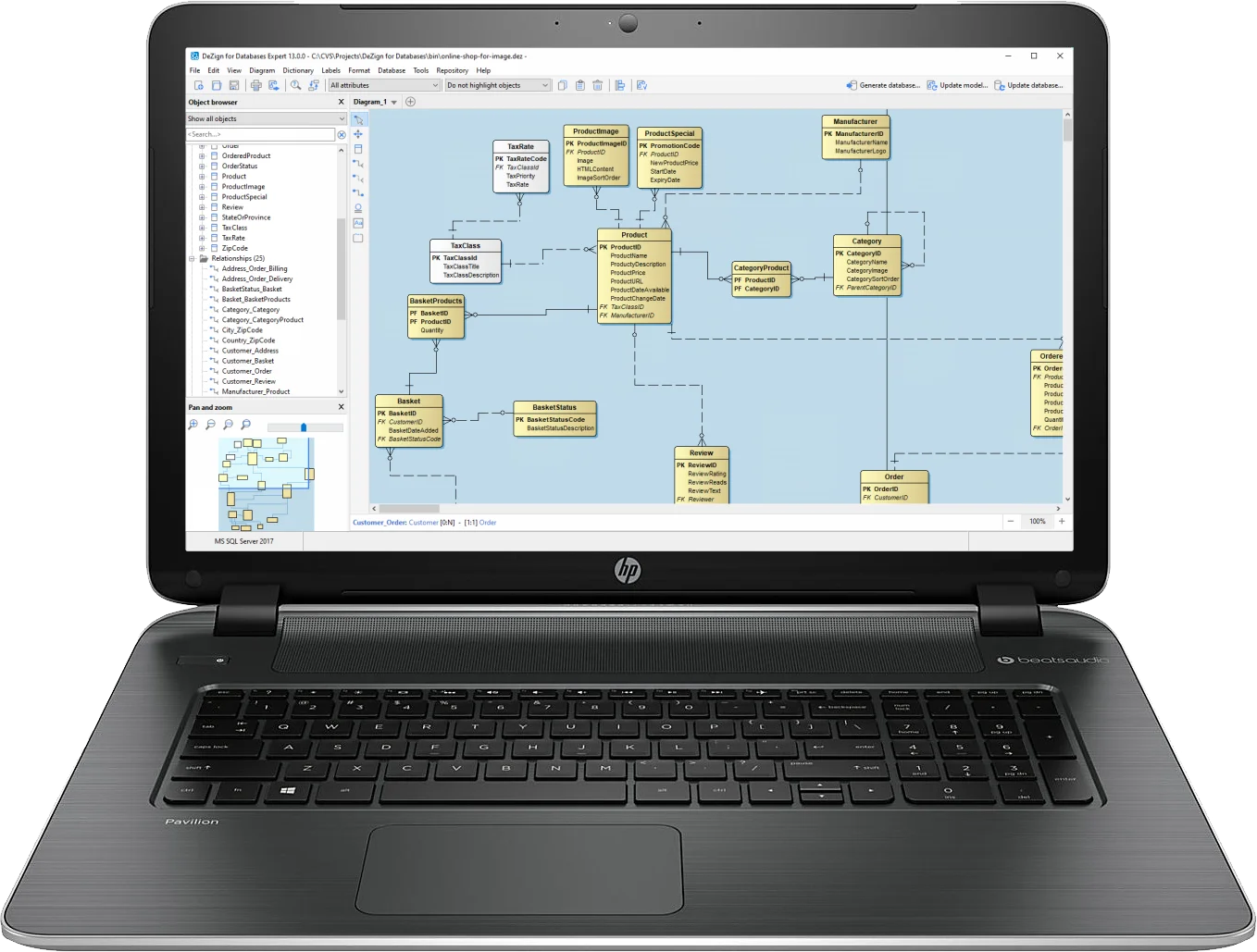
Robust and Easy to Use Data Modeling Tool
Building robust, scalable databases has never been easier. DeZign for Databases is an intuitive data modeling tool for developers and DBA's that can help you model, create and maintain databases. The software uses entity relationship diagrams (ERDs, data models) to graphically design databases and automatically generates the most popular databases (Snowflake, Oracle, MS SQL, MySQL, PostgreSQL,...). Compare and synchronize is a powerful feature that lets you compare a model and a database and synchronize the differences between them.
DeZign for Databases offers a sophisticated visual data modeling environment for database development that makes it easier to design, deploy and understand data sources to meet your business needs.

Visual Database Modeling
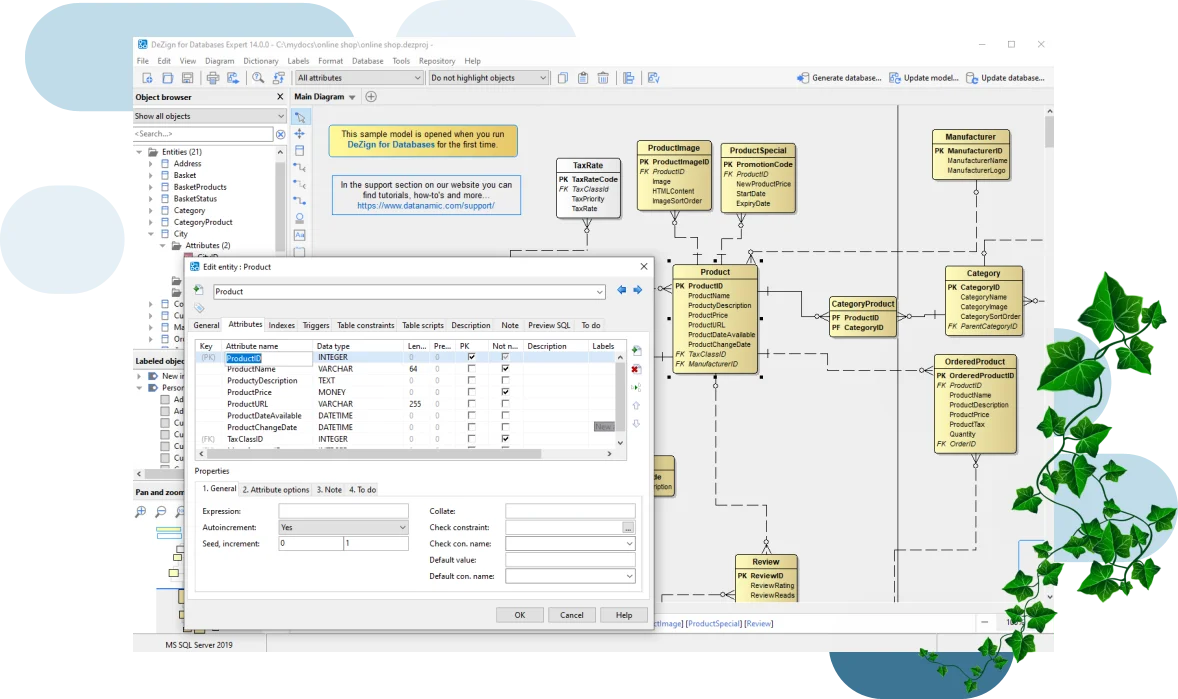
Diagramming. DeZign for Databases uses entity relationship diagrams (ERDs) to graphically design databases. In your diagram you can visually make a data model using entities, relationships, subcategories, group boxes and text blocks. Entity symbols are used to define database table structures, including details about columns (attributes), primary keys, null, unique, foreign keys, domains, check constraints, .... Relationships are drawn between entities and can include a name, abbreviation, description and the cardinalities (zero, one, many, ...). The diagram editor user interface fully supports drag-and-drop of entities, relationships, subcategories, group boxes and text blocks.
Industry standard design notations. You can draw your data model based on modeling notations defined by IDEF1X or Crow's Foot (Information Engineering).
Multiple display modes. The software will display model information at various levels. These display modes can be used at various stages of model development or can be used to convey model information in abstract or in varying depths of detail.
Pan and zoom window. Quickly navigate around large diagrams with the Pan and Zoom window. This window gives you a "birds-eye" view of your diagrams.
ER-Modeling. DeZign for Databases supports the ER-modeling techniques. Some advanced features like N:M-relationships (many-to-many relationships) and sub categories (inheritance) are also supported. "DeZign for Databases" will take care of the translation of the model to the physical database.
Forward and Reverse Engineering

Forward engineering. DeZign for Databases can generate databases directly from your models (ER-diagrams). For SQL databases, the SQL DDL scripts to create your database will be generated. For non SQL databases, the physical database files will be generated directly. You can control what must be generated. Generate individual parts of your model. Generate tables, relations, indexes, constraints, domains, sequences, procedures, triggers and views.

Reverse engineering. Derive a graphical model from existing databases, for both relational and big data platforms. You can import an existing (cloud) database by connecting to the database directly or by importing a SQL DDL script. Your complete database will be imported including tables, sequences, triggers, procedures and views. While importing the database, the software analyzes the database to find relationships not expressly defined in the database.
Database/Model Synchronization
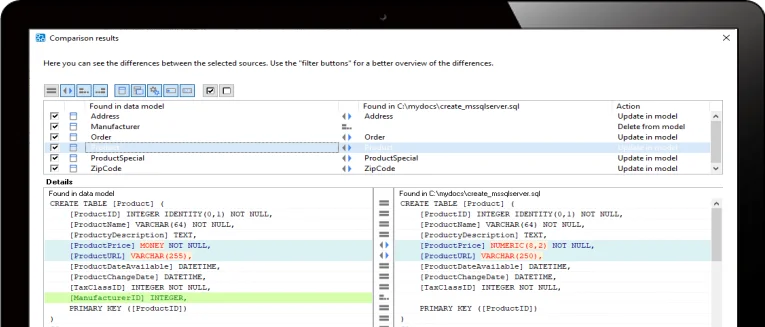
DeZign for Databases offers bi-directional compare and synchronize functionality for all synchronization use cases: model-to-database, model-to-script, database-to-model, script-to-model, model-to-model.
When any change is made to either the data model or database, DeZign for Databases provides a comprehensive comparison of all metadata-differences. Changes can be moved from model-to-database (generates intelligent modification scripts, alter database scripts) or database-to-model. With the comparison options you can control what will be seen as a difference.
Collaborate and Share, Securely
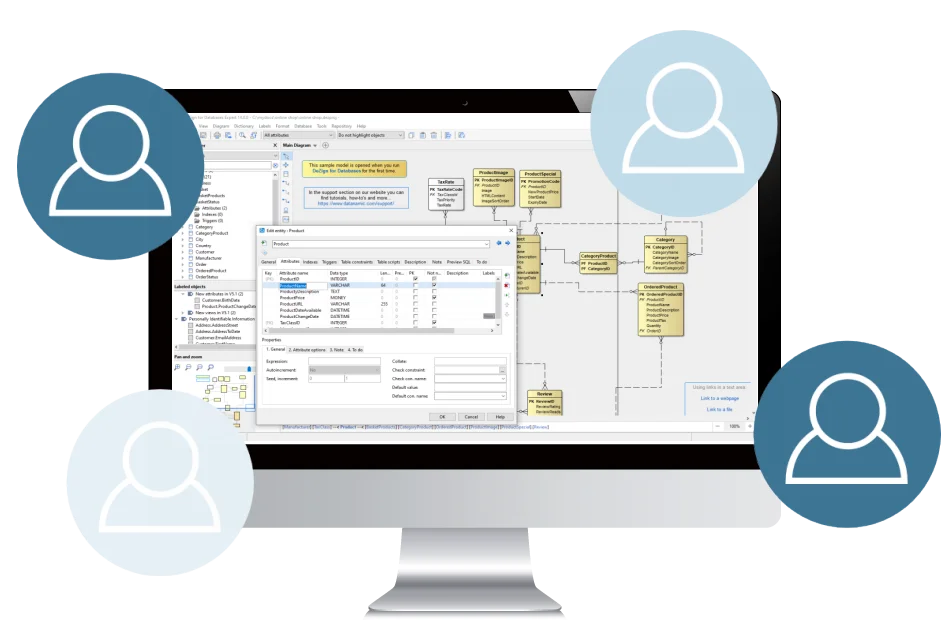
Next to single file projects, the data modeling tool supports folder-based projects. It then creates a .dezproj file and the folders that keeps the model's objects and diagrams.
The main advantage of folder-based projects is that it's adjusted to store project files in Version Control Systems such as Git: the project data is split over multiple files (one file for each object), and merge conflicts are less likely. You can use Git source control to manage your files and collaborate with others.
Another option is to store your model in a (server-based) repository database. The Datanamic Repository is a central repository database to store your data models. With the Datanamic Repository more than one user can work on the same model.

Model Maintenance
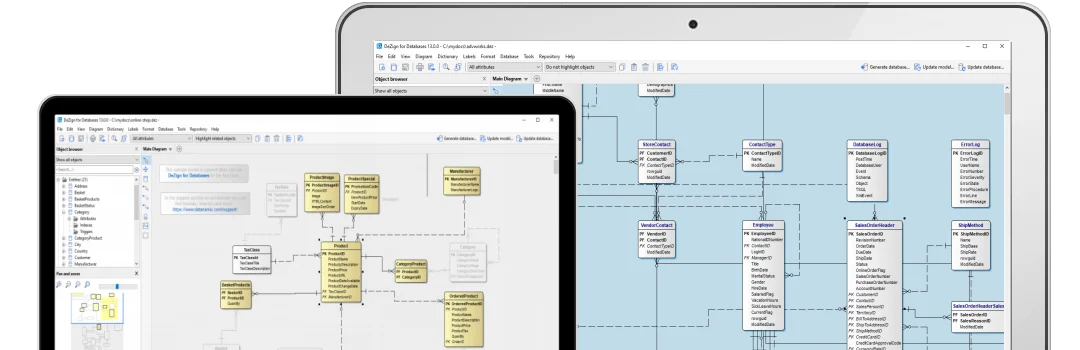
Diagram management. DeZign for Databases extends your data modeling power with subdiagrams. A project is a set of one or more subdiagrams that contains the specification of an entire model. You can break a large or complex model into smaller, easier to maintain subdiagrams.
Object browser. Rather than presenting a picture of the model in the traditional diagram window manner, the Object Browser provides an organized, ordered view of the model and its contents. You can create, navigate and modify a model in the Object Browser.
Labeling. Organize the objects in your project into meaningful groups with labels. This way you can quickly and easily filter and report on the data that is of most interest to you.

Reporting
DeZign for Databases provides flexible, customizable reporting and printing capabilities.
HTML, MS Word and PDF reports. You can generate HTML, MS Word and PDF formatted reports for easy deployment of design information. Several reports with different levels of detail can be generated. Optionally the diagram(s) can be inserted as a picture.
Export data dictionary to CSV. You can export the database objects in the data dictionary/model to comma-sepated values files (CSV). For each type of object a file will be exported.
Export diagram as image. The diagram itself can be printed or exported as a png, bitmap, jpeg-image, gif-image or windows metafile.

Enrich your Data Models
At times, the default properties of objects in your data model aren't enough to capture all the context for a data model object. Adding extra details can provide more business context to the metadata. You can customize technical and business metadata to enrich specific objects in your data model by using user defined properties.

Design Better Databases with a Powerful Data Modeling Tool
Our tool is meant to speed up and simplify the creation of database models and to minimize human errors. The software helps with creating correct data definition language (DDL) and increases your chances to create a high-performance database. Good designs lessens the maintenance efforts and decreases probability of failures.
Model validation. You can validate a model for errors any time during the design process. During validation, the tool checks to make sure the elements in your data model are correct and complete.
Automatic foreign key migration. DeZign for Databases supports the logical and physical data-level from a single specification achieved by using automatic foreign key migration at design-time.
A modification to a property of a relationship or to a primary key will automatically affect foreign keys.
Domains. Domains are reusable user-defined types or "attribute templates" that promote consistent domain definitions. You construct a domain by specifying a name, datatype, default value and validation rules. Afterwards, you can reuse them in your project by applying them to attributes.
Attribute packages. Attribute packages are pre-defined, reusable sets of attributes that promote consistent attribute definitions. You can share attribute packages between data models/projects.
Name templates. The name templates editor lets you create naming rules for entities, relationships and constraints that can be reused across the model.
Supported Database Platforms
DeZign for Databases supports more than 15 databases including Oracle, Snowflake, MySQL, MS SQL Server, MS Access, DB2, Google BigQuery, Azure SQL and PostgreSQL. A complete list of supported database platforms can be found in the supported databases overview.

D. Newton, Sr. Mgr, Business Applications/Data Architecture
MathWorks
Get Started Today
And see why tens of thousands of data modelers worldwide choose DeZign for Databases.
Try Out DeZign for Databases (14 days free trial)Hear why our customers love us
Over 25,000 organisations large, small and across every industry rely on DeZign for Databases.
See what they are saying